Best Invoicing Software for Freelancers
Read in 4 min
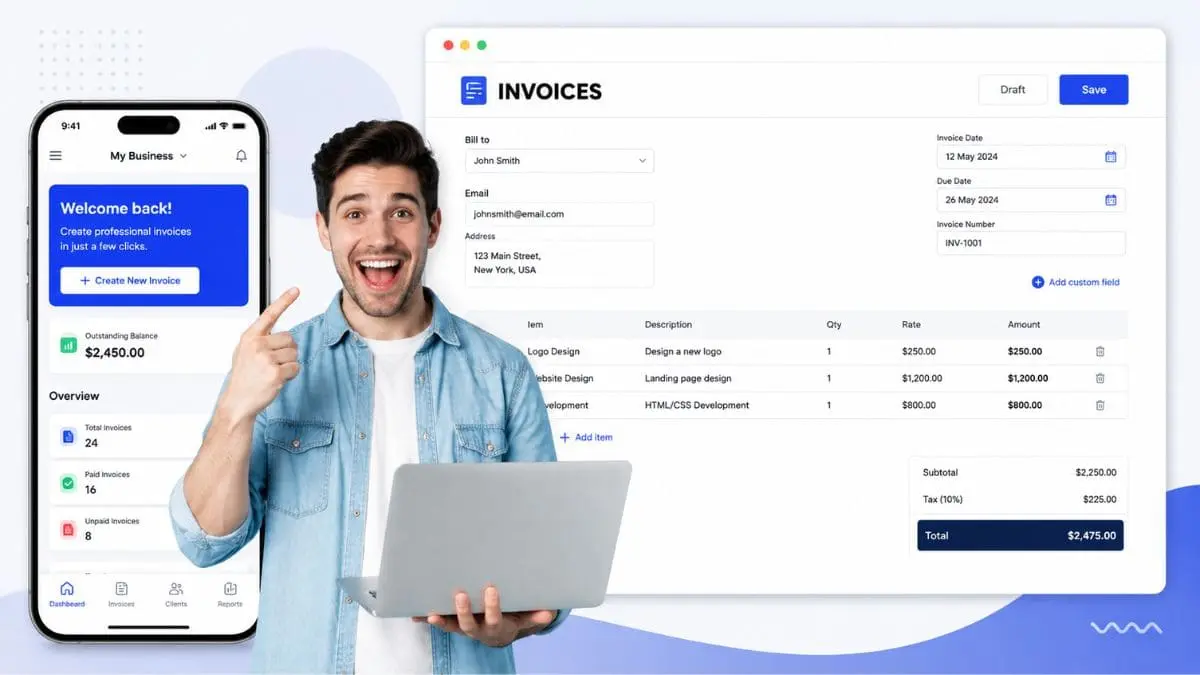
Invoicing software lets freelancers and businesses create, send, and track client bills and payments. These tools send recurring invoices and automatic payment reminders, embed UPI QR codes, credit card processing, or links for instant payment, and automatically add local taxes like GST or VAT, making them ideal for both freelancers and businesses. Whether you are a freelancer or a manager of an organization seeking to streamline your billing operations, such as creating, sending, and tracking bills and payments, invoicing software could play a crucial role in streamlining your tasks associated with bills and payments.
This article explores information on the best invoicing software for freelancers. Check out this article to learn more about the best invoicing software.
Understanding Invoicing Software
Invoicing software is a computerized program designed to help businesses automate the creation, delivery, and tracking of client bills and payment statuses. It allows them to add their business logo, brand colors, and specific payment terms. In addition, it helps freelancers send polite notifications to clients when payments are coming due or overdue and connect payment gateways like credit cards, PayPal, or bank transfers.
Best Invoicing Software for Freelancers (2026)
The best invoicing software for freelancers depends on their specific needs. FreshBooks for overall automation, Zoho Invoice for free multi-currency use, Harvest for time tracking, and Wave for simple, low-cost billing are popular examples of invoicing software. Here is a breakdown of the best invoicing software platforms.
FreshBooks
Pricing: Starts at $23/month
FreshBooks is the best overall for polished client interfaces, expense tracking, and robust payment reminders, though it operates on a paid monthly subscription model.
Key Features of FreshBooks:
- Custom Invoices
- Recurring Billing
- Online Payments
- Automated Reminders
- Time Tracking
- Receipt Scanning
- Bank Reconciliation
- Project Management
- Financial Reports
Benefits of Using FreshBooks:
- FreshBooks helps users create professional, branded invoices with customizable styles, logos, and payment terms.
- It enables users to automate invoices for retainer clients or subscription services on a set schedule.
- It accepts online payments, which are made by credit card.
- This software captures receipt photos via the mobile app to snap, save, and categorize expenses automatically.
- In addition to these benefits, this software is used to collaborate with team members, share files, and track task progress inside specific client projects.
Zoho Invoice
Pricing: Starts at $0 with a free plan
Zoho Invoice is the best free option supporting multiple languages and currencies without hidden fees for basic invoicing tiers. It is a forever-free, feature-rich invoicing and billing software, making it ideal for freelancers, small businesses, and startups.
Key Features of Zoho Invoice:
- Custom Invoices
- Quotes and Estimates
- Recurring Invoices
- Online & Offline Payments
- Payment Reminders
- Customer Portal
- Expense Tracking
- Integrations
- Financial Reports
- Tax Compliance
Benefits of Using Zoho Invoice:
- Zoho Invoice is entirely free with no hidden subscription fees, making it a great choice for startups and small teams.
- It gets paid quicker by connecting with online payment gateways. This smart approach accepts credit cards, bank transfers, and digital wallets directly from your invoices.
- It helps professionals build trust and brand identity using a gallery of customizable templates. This helps them add their company logo, custom fields, and specific color schemes.
- In addition, it helps with setting up recurring invoices, scheduling automatic payment reminders for overdue accounts, and configuring recurring billing. This intelligent approach saves time.
Harvest
Pricing: Starting from $17.50seat/month
Harvest is the best for hourly workers who need seamless tracking from time logs directly into client invoices. It lets your professional teams track time, bill clients, optimize team time, and measure performance with confidence.
Key Features of Harvest:
- Time Tracking
- Invoicing and Payments
- Budgeting and Profitability
- Visual Reports and Capacity
- Expense Tracking
- Integrations
Benefits of Using Harvest:
- Harvest enables employees to record hours using live timers or fill out weekly timesheets all at once.
- It tracks time easily from desktop widgets, mobile apps (iOS and Android), or browser extensions.
- It accepts online payments by connecting with the Stripe and PayPal integrations. This approach lets clients pay securely right from their invoices.
- In addition, it helps professionals send automatic payment reminders for overdue invoices to reduce follow-up time.
Wave
Pricing: Starts at $149/month
Wave is the best for simple, lean bookkeeping and basic invoice generation on a budget. It lets you create beautiful invoices, accept online payments, and make accounting easy—all in one place.
Key Features of Wave:
- Invoicing
- Expense Tracking
- Accounting & Bookkeeping
- Financial Reporting
- Online Payments
- Wave Payroll
Benefits of Using Wave:
- Wave offers free core accounting, expense tracking, and unlimited invoicing with no monthly subscription fees.
- It has an intuitive dashboard that is ideal for non-accountants, lowering the learning curve for beginners.
- It can connect bank accounts and credit cards. This approach automatically tracks expenses and reconciles transactions.
- This software allows users to view and manage their financial records securely from any web browser or mobile device.
- In addition to these benefits, it helps professionals create customizable invoices with brand logos, set up recurring billing, and accept online payments directly.
Bonsai
Pricing: Starts at $9.00 per user per month
Bonsai is the best all-in-one suite combining proposals, contracts, time-tracking, and project billing. It lets you rapidly prototype custom workflows for processing data streams.
Key Features of Bonsai:
- Client CRM
- Proposals & Contracts
- Client Portal
- Task Tracking
- Time Tracking
- Resource Planning
- Automated Invoicing
- Online Payments
- Expense & Tax Tracking
Benefits of Using Bonsai:
- It consolidates client relationship management (CRM), project management, time tracking, and finances into a single platform. This approach eliminates the need to juggle multiple apps.
- It provides customizable templates for proposals, contracts, and intake forms with built-in digital e-signatures to close deals faster.
- In addition, it simplifies invoicing, recurring payments, retainers, and expense tracking while supporting online payments and bank integrations.
These are the best invoicing software options for freelancers. To learn more about invoicing software tools, start an online search today!