Read in 4 min
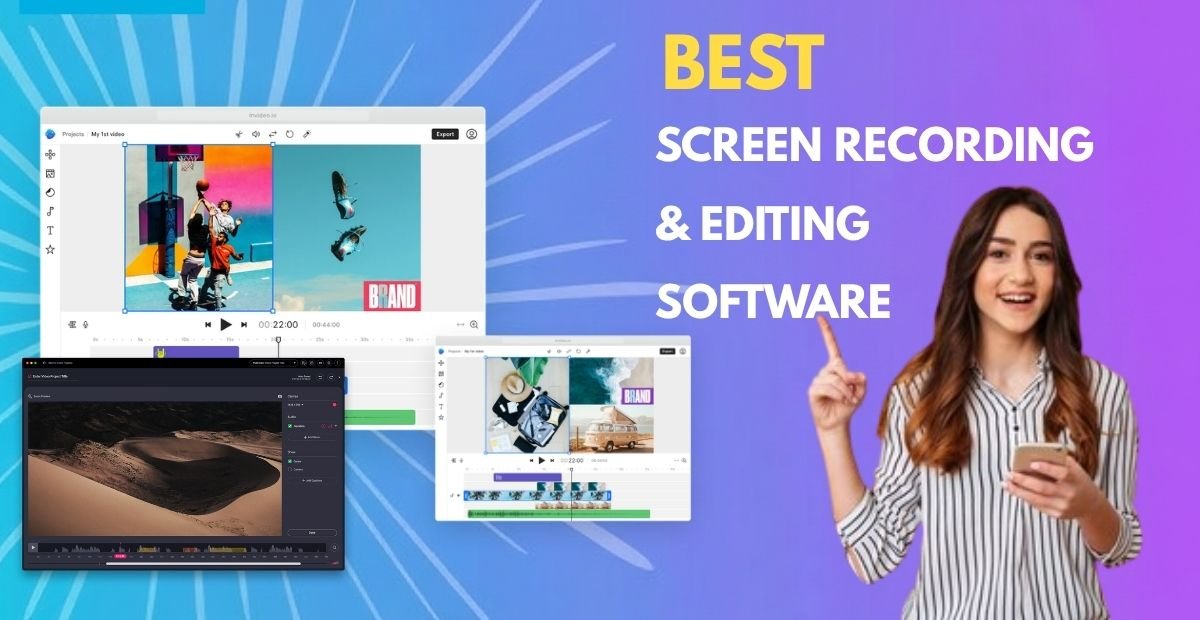
We know that video has become one of the most powerful forms of communication in today’s fast-paced world. Whether you are an educator, content creator, working professional, or gamer, recording and editing screens efficiently is crucial. These tools are great sources for professionals and creators to capture real-time activity, add explanations, and refine their presentation into professional-quality content.
This simple guide provides information about screen recording and editing software, including understanding screen recording and editing tools, the best screen recording and editing software, and much more.
Screen recording and editing software is a digital tool designed to capture computer display activity – along with audio and webcam – for presentations, tutorials, and remote collaboration. These systems assist professionals and creators in recording full screens, specific windows, or selected areas. They offer many essential features, including mouse click animations, annotation, and editing timelines for trimming or adding media. There are two types of screen recording and editing tools: online screen recorders with editing features and desktop screen recorders with audio editing.
Screen recording and editing tools offer professionals and creators numerous key features, including:
These tools offer high-definition recording that enables creators to capture video in 1080p or 4K resolution, ensuring sharp, professional visuals.
They also include real-time annotations that allow users to add arrows, text, and highlights while recording to emphasize key points.
They are ideal sources for multi-source capture. These solutions assist professionals and creators in recording their screens, webcams, and systems or microphone audio simultaneously.
It is another key feature to look for when selecting the perfect screen recording and editing tool. They come with advanced video editing features that enable users to trim, cut, merge, and apply effects, transitions, and overlays within the same software.
These solutions also include audio editing tools for eliminating background noise, balancing sound levels, and synchronizing narration.
It is another key feature to look for while using a screen recording and editing tool. This feature helps professional creators save their files in multiple formats like MP4, MOV, or AVI, or export directly to social media and YouTube.
Professional screen recording software offers creators a lot of advantages, which include:
They typically combine recording and editing in one suite to simplify the entire production process.
These tools use the advanced features to produce professional-quality videos that suit tutorials, marketing, or gaming.
They also improve efficiency with faster editing workflows, making them a top choice for many educators, content creators, and professionals.
In addition, these systems enhance collaboration with direct upload and sharing features and provide polished results that increase credibility and engagement.
When we talk about the best screen recording and editing software tools, there are many options available to educators, content creators, and business professionals. Below are the best screen recording and editing tools.
OBS Studio is the best screen recording and editing tool that stands out as a free tool. It enables users to switch scenes, live stream, and control audio extensively. This software offers professional-grade flexibility without a subscription, free for creators willing to invest time in learning.
Camtasia is a comprehensive combination of recording and editing features. It offers a drag-and-drop timeline, pre-built templates, and transitions, allowing users to make video creation efficient and professional. This software is a great choice for marketers, educators, and tutorial creators seeking a polished result.
DemoCreator stands among the best screen recording and editing tools for creators focused on teaching and tutorials. This software is an interactive editing tool for educators seeking a polished finish. It also supports multi-track editing, captions, cursor effects, and animation effects, making it an excellent choice for educators.
Movavi Screen Recorder is known for its user-friendly and effective features like internal audio capture, webcam recording, and quick exports. For those who value speed and simplicity without compromising quality, it is an ideal choice for them.
Loom is the best tool for screen recording and editing, which focuses on quick recording and instant sharing. It is known for its fast recording and collaboration. This software is an excellent choice for creators with business communication, client updates, and team feedback. Its cloud integration also makes it a good choice for professional creators on the go.
ScreenPal is a lightweight online recorder and comes with a simple interface and instant sharing capabilities. It is an excellent choice for small business owners, coaches, and teachers. This software offers numerous features, including trimming, zoom, and subtitle features directly in the browser.
Bandicam is a powerful screen recording and editing tool suitable for gamers and tech reviewers. This software usually supports real-time drawing, high-frame rate recording, and external video device capture. It is the best choice for gamers and tech reviewers.
With so many screen recording and editing tools available on the internet, choosing the right tool can be daunting. By carefully considering things, you may choose the right one. Below are the most common tips for choosing the right screed recording and editing solution.
Start by defining your purpose and needs.
Consider checking system compatibility.
Check the software’s built-in editing capabilities.
Look at prioritizing tools that balance power with simplicity.
Consider testing the software’s user interface through a free trial before taking it.
Evaluate export quality and supported formats.
Screen recording and editing software solutions have become an ideal source for educators, content creators, gamers, and professionals seeking a polished result. They also allow users to transform raw footage into engaging, shareable content. Loom is the best for quick sharing, Camtasia for YouTube users, and OBS Studio for free users. To learn more about these tools, start an online search today.




Read in 4 min

Read in 4 min

Read in 4 min